The department nobody notices until it breaks
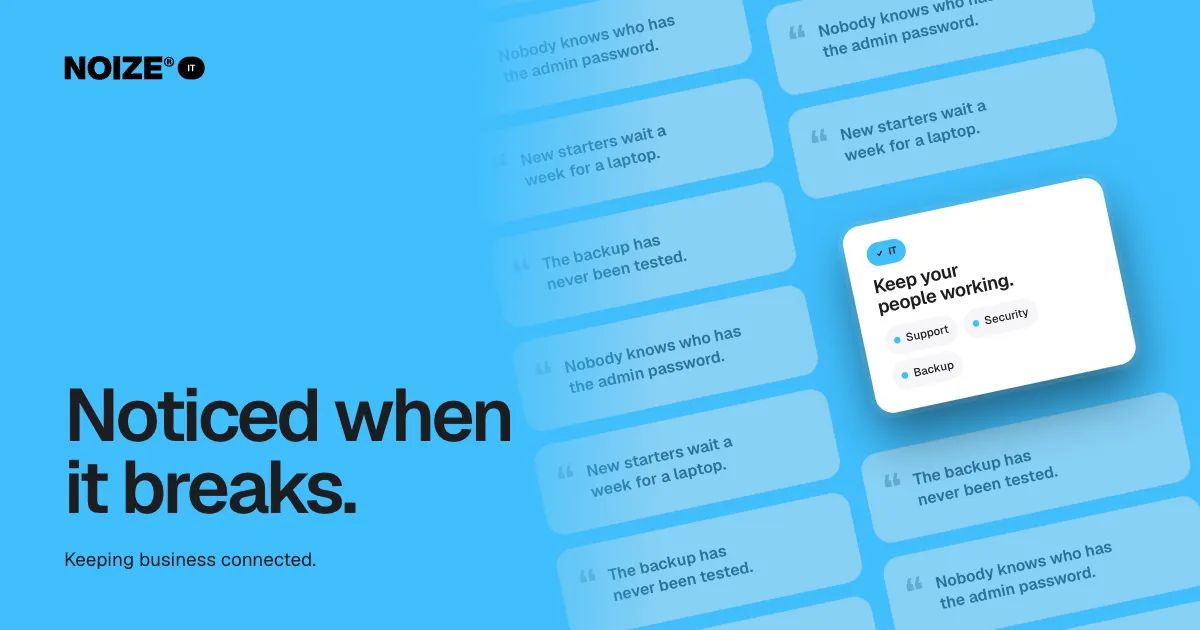
Nobody knows who has the admin password. New starters wait a week for a laptop. The backup has never been tested.
When IT works, nobody talks about it. That is the point. The email arrives, the files open, the Wi-Fi holds, the laptop starts. The trouble is that "working" often means "hasn't broken yet", and the gap between those two only becomes obvious on a bad day.
Here are seven basics every business should have in place before that day arrives.
The short version
- IT is invisible until it fails, and most failures are small and preventable.
- Seven basics cover most of the risk: owning your accounts, managing access, using multi-factor login, testing backups, supporting devices, training staff to spot scams and making someone responsible every day.
- When systems need rebuilding rather than patching, IT and Digital work together so the result is built well and stays looked after.
01You own your accounts
The domain, the Microsoft 365 or Google Workspace admin, the accounting software, the social accounts, the website hosting. Every one of them should be registered to the business and accessible by the business, not by a former employee, an old developer or an agency from five years ago.
It sounds basic. It is one of the most common problems we find, and one of the most painful to fix in a hurry.
02Access is managed, not remembered
Passwords on sticky notes, shared logins and accounts that stay active after people leave are all risks. A simple access register, a password manager and a clear process for joiners and leavers solve most of them.
When someone leaves, their access should end the same day. When someone joins, it should be ready before they arrive.
03Multi-factor login is on everywhere
A large share of small business breaches start with a stolen password. Multi-factor authentication, the code or prompt on your phone, stops most of them. It should be on for email, finance systems and admin accounts at a minimum.
04The backup has been tested
Most businesses have a backup. Fewer have restored one. A backup that has never been tested is a hope, not a plan. Test recovery regularly, know how long it takes, and make sure the backup sits somewhere separate from the systems it protects.
> I've invested in dozens of ventures, and the one question I now ask early is surprisingly technical: if your laptop was stolen tonight, what would you lose and how long would it take to get back? The answer tells you a lot about how a business is run.
05Devices are set up and supported
New starters should have a laptop, email, software and permissions on day one. Devices should be updated automatically, protected, and replaceable without losing work. When something goes wrong, there should be a helpdesk that answers.
This is where Talent and IT work together. When Talent places someone, IT makes sure they can work from the first morning.
06Staff know what a scam looks like
Fake invoices, urgent transfer requests from "the CEO", password reset emails that aren't. Most attacks rely on someone clicking. Short, regular training makes the team the first line of defence instead of the weakest link.
07Someone is responsible
The final basic is the simplest. Someone, inside or outside the business, is responsible for IT every day. Not when it breaks, every day: monitoring, patching, updating, supporting. Without that, each of the six basics above slowly decays.
“Couldn't recommend these guys enough.”
What managed IT looks like
NOIZE IT supports the technology businesses and their teams rely on every day: managed IT, Microsoft 365, Google Workspace, user and device management, cloud services, helpdesk support, cybersecurity, backup and recovery, infrastructure and technology procurement.
For a growing team, it replaces the informal arrangement most businesses start with: a staff member who is "good with computers" or a technician called when something stops working. It suits businesses without an IT person, teams that are growing, and businesses adding locations.
When IT needs to work with Digital
Sometimes the problem isn't support. It is that the systems themselves need rebuilding: daily exports to spreadsheets, duplicate tools, workarounds layered on workarounds. Patching those forever costs more than replacing them.
That is when IT hands the brief to Digital to build something better, then takes the new system back to look after. The two departments working as one means the business gets systems that are built properly and stay looked after. Connected. Secure. Supported.
A quick health check
- Can you list every admin account the business relies on and who holds it?
- Is multi-factor login on for email?
- When was the backup last restored?
- How long did the last new starter wait for their laptop?
- Who would you call if email went down right now?
If any answer is "not sure", that is the place to start. Keeping business connected. See it.noize.com.au.
What a bad day costs
Picture an ordinary office of fifteen people. Email goes down for a morning. Nobody can send quotes, reply to customers or reach suppliers. Phones run hot. The manager spends three hours trying to find out who manages the domain. By lunchtime, half a day of fifteen people's work is gone, and the cause was an expired renewal nobody was watching.
Most IT problems look like this. They aren't dramatic attacks. They are small, preventable failures that happen because nobody was responsible. Managed IT exists to stop them.
Moving to the cloud, sensibly
Many businesses still rely on an old server in a cupboard or files spread across personal drives. Moving to Microsoft 365 or Google Workspace, with files, email and permissions managed centrally, usually improves security, access and backup at the same time. Done in stages, it causes little disruption and makes the next new starter much easier to set up.
How NOIZE IT works with you
NOIZE IT looks after the routine jobs: setting up Microsoft 365 or Google Workspace, creating a Google Business Profile and managing user accounts. You also get practical guidance on the department nobody notices until it breaks as part of the business strategy.
When something needs specialist expertise or accreditation, an appropriately qualified professional is involved. We agree the arrangement with you before any work begins.
Related reading
Common questions
Do small businesses need managed IT?
If your team relies on email, files and cloud software every day, yes. Managed IT costs less than the downtime and risk it prevents.
What is the Essential Eight?
A set of baseline security strategies published by the Australian Cyber Security Centre. We use it as a practical guide for small business security.
Can you support Microsoft 365 and Google Workspace?
Yes. We set up, manage and support both, including users, devices, security and migrations.
What do you need to quote IT support?
Your team size, the tools you use and what keeps breaking.
How quickly can a new starter be set up?
With devices and accounts managed centrally, a new starter can be ready on their first morning. We plan it with Talent or your team before they arrive.
What should I do first if I think we have been hacked?
Change the passwords on affected accounts from a clean device, turn on multi-factor login, tell your IT provider immediately and check whether customer information was involved. Acting in the first few hours limits the damage. Afterwards, review what allowed it to happen and fix the gap so it can't recur.
Your first strategy conversation is on us.
Have a chatThe brand for business.